How to Check If Your Image Looks AI-Generated: Reading a Before-and-After Detection Report
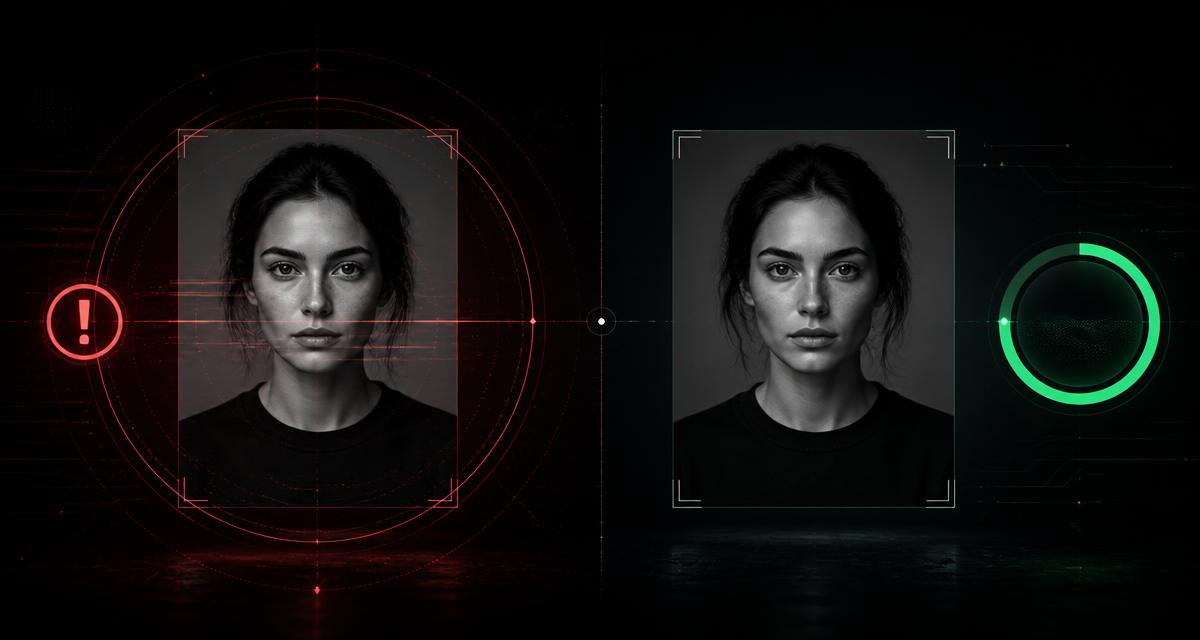
Key takeaways
- You can score your own images locally — no upload, no account, no third party seeing your work.
- The report separates deterministic signals (metadata that names a model) from heuristic signals (pixel characteristics that merely correlate).
- A score is a risk estimate, not a verdict. Its value is showing you *which* signals exist and which your cleaning actually removed.
- Expect the metadata contribution to drop to zero after stripping, and the pixel-level contribution to barely move. That is correct behaviour, not a failure.
- If your score stays high with no metadata present, the cause is image statistics — and no metadata tool can or should change that.
The worst part of being flagged is the silence. A score appears, a badge appears, a ranking drops — and nothing tells you which characteristic of your file triggered it.
A useful report does the opposite. It shows you every signal it found, names it, says whether it is a declaration or a guess, and then shows you what changed after you cleaned the file. That is the difference between a verdict and an explanation.
This is the analysis spoke of our AI image detection pillar guide.
Two kinds of signal, never mixed
Every credible report has to keep these apart, because they carry completely different weight.
| Deterministic signals | Heuristic signals | |
|---|---|---|
| Examples | C2PA manifest, EXIF Software, XMP creator tool, PNG prompt chunk | Noise floor uniformity, exact preset dimensions, missing camera EXIF, texture smoothness |
| Strength | Conclusive — the file states its origin | Correlation only |
| Removable | Yes, by re-encoding from raw pixels | No, they are properties of the picture |
| After cleaning | Gone | Essentially unchanged |
Tools that blend both into a single opaque number are the reason nobody trusts AI detection. A number with a breakdown beneath it is something you can actually act on.
What the before report tells you
Run your image through the Remove AI Metadata tool and the "before" side lists what a platform pipeline would find.
- Provenance manifests. Whether a signed C2PA record exists, which is the single strongest possible indicator.
- Generator strings. EXIF
Software, XMPCreatorTooland vendor namespaces that name a model. - Source-type declarations. IPTC and XMP fields whose values can state outright that content is synthetic.
- Embedded prompt data. PNG text chunks holding your prompt, seed or entire workflow.
- Camera fingerprint presence or absence. Genuine photographs usually carry device, lens and exposure data; its absence is suspicious to automated systems.
- Dimension fingerprints. Exactly square or exactly preset sizes that match common model outputs.
- Noise characteristics. An implausibly low or uniform noise floor across channels.
- Format mismatch. A photographic subject delivered as PNG, which is unusual for camera output.
What the after report should look like
Process the image and compare. Here is the honest expectation, so you are not disappointed by correct behaviour.
| Signal group | Expected change after a metadata strip |
|---|---|
| C2PA manifest | Removed entirely |
| EXIF and XMP generator tags | Removed entirely |
| IPTC source type | Removed entirely |
| PNG prompt and workflow chunks | Removed entirely |
| ICC profile | Removed or replaced with a default |
| Dimension fingerprint | Unchanged unless you also resize |
| Noise floor and texture statistics | Barely changed, unless you chose resample or dither |
| Robust invisible watermark | Assume unchanged |
A large drop that comes from the metadata rows is the tool working correctly. A residual score that comes from pixel rows is the tool being honest with you instead of flattering you.
Read next: how AI image detectors work and how accurate they are →
Reading a stubborn score
If your score stays high with no metadata left, the remaining contributions are properties of the picture itself. Your options, and their real costs:
- Resize away a preset dimension fingerprint. A 1024x1024 image is a tell; a purposeful crop or resize to a real-world aspect ratio is not. Use the Resize Image tool or the Crop Image tool, and see resizing without losing quality.
- Deliver in a plausible format. Photographic content as a quality-tuned JPEG or WebP behaves more like camera output than a pristine PNG. Our Convert to JPG tool handles that.
- Accept the noise-floor finding. You can perturb it with the tool's resample and dither options, but you are trading visible fidelity for a best-effort change with no guarantee.
- Stop chasing zero. There is no score that protects you, and the honest strategy is removing the deterministic layer and disclosing AI use where it matters.
Batch checking a whole library
If you are cleaning a client deliverable, a product catalogue or a year of blog images, do it in one pass. The tool queues every file, processes them sequentially so your tab stays alive, keeps a per-file status, and lets you retry only what failed — with a report for each image.
For the wider workflow across compression, resizing and format conversion, see the batch image processing workflow.
Why local analysis matters
Every "AI checker" website asks you to hand over the image first. For unreleased client work, personal photographs, medical or legal material, or anything under NDA, that is not a small request — you are uploading the exact file you are worried about to a third party whose retention policy you have never read.
Our analysis runs in your browser with the Canvas API. Nothing is transmitted, nothing is stored, and the tool works with your network disconnected. That is a property of the architecture, not a promise in a privacy policy.
Read next: why Instagram and Facebook label your photo as AI →
Frequently Asked Questions
How can I check if an image is AI-generated?
Check the provenance layer first, because it is the only part that can be conclusive. Inspect the file for a C2PA manifest, EXIF or XMP generator tags, IPTC digital source type values and PNG text chunks. Only then consider pixel-level heuristics such as an implausibly uniform noise floor, exact model-preset dimensions or absent camera metadata — these correlate with AI output but never prove it.
Is the detection likelihood score a definitive answer?
No, and it is not meant to be. It is a transparent risk estimate assembled from listed signals, designed so you can see what a platform's automated pipeline would notice in your file. Deterministic findings such as a C2PA manifest are conclusive on their own; heuristic findings are only correlations.
Why is my score still high after removing all metadata?
Because the remaining contribution comes from the pixels rather than the container. Exact model-preset dimensions, an unnaturally clean noise floor, PNG delivery of a photographic subject and very smooth local texture all persist through a metadata strip, since no metadata operation touches the picture.
Is my image uploaded anywhere during the check?
No. Decoding, inspection, scoring and re-encoding all happen in your own browser using the Canvas API. The file never leaves your device, which is why the tool works on confidential client work and personal photos.
What is a good score to aim for?
There is no threshold that guarantees anything, and a tool promising one would be lying. Use the report to eliminate the signals you can control — the entire metadata layer — and to understand honestly which pixel-level characteristics remain.
Can I check a batch of images at once?
Yes. Add as many files as you like; each one is processed sequentially with its own status and its own before-and-after report, so a single unreadable file cannot break the run and you can retry just the failures.
AI Image Detection & Provenance: complete guide series
AI Image Detection in 2026: How Detectors, Watermarks and Metadata Really Work
How AI image detectors, invisible watermarks like SynthID and C2PA metadata actually flag pictures as AI-generated — plus how to inspect and clean your own images free.
How Do AI Image Detectors Work — and How Accurate Are They Really?
11 min readWhat Is SynthID? How Invisible AI Watermarks Work (And Whether They Can Be Removed)
10 min readAI Image Metadata Explained: EXIF, XMP, C2PA and the Generator Tags That Expose You
12 min readC2PA Content Credentials Explained: The Invisible Label Attached to Your Images
11 min readWhy Instagram and Facebook Label Your Photo as AI-Generated (And How to Stop It)
9 min read