C2PA Content Credentials Explained: The Invisible Label Attached to Your Images
Key takeaways
- C2PA Content Credentials are a cryptographically signed manifest stored inside your image file that records what created it and what edited it afterwards.
- This is the single strongest AI-detection signal in practice — a signed declaration beats any statistical guess.
- AI-assisted edits on genuine photographs can attach credentials too, which is why real photos get labelled as AI.
- Because the manifest lives in the file container, re-encoding from raw pixels removes it completely and deterministically.
- The same manifest can also carry device, software and timestamp details you may not want to publish.
Somewhere inside your image file, invisible and unasked for, there may be a signed document describing what made the picture, which software touched it, when, and in what order.
Nobody showed it to you. You cannot see it in a photo viewer. But the platform you upload to can read it in milliseconds, and it is very likely the reason your image carries an AI label.
That document is a C2PA Content Credential. This is the provenance spoke of our AI image detection pillar guide.
What C2PA actually is
C2PA — the Coalition for Content Provenance and Authenticity — is an industry standard for recording where a piece of media came from. It was built to fight misinformation by making provenance verifiable rather than assumed, and it is backed by major camera makers, software vendors and AI companies.
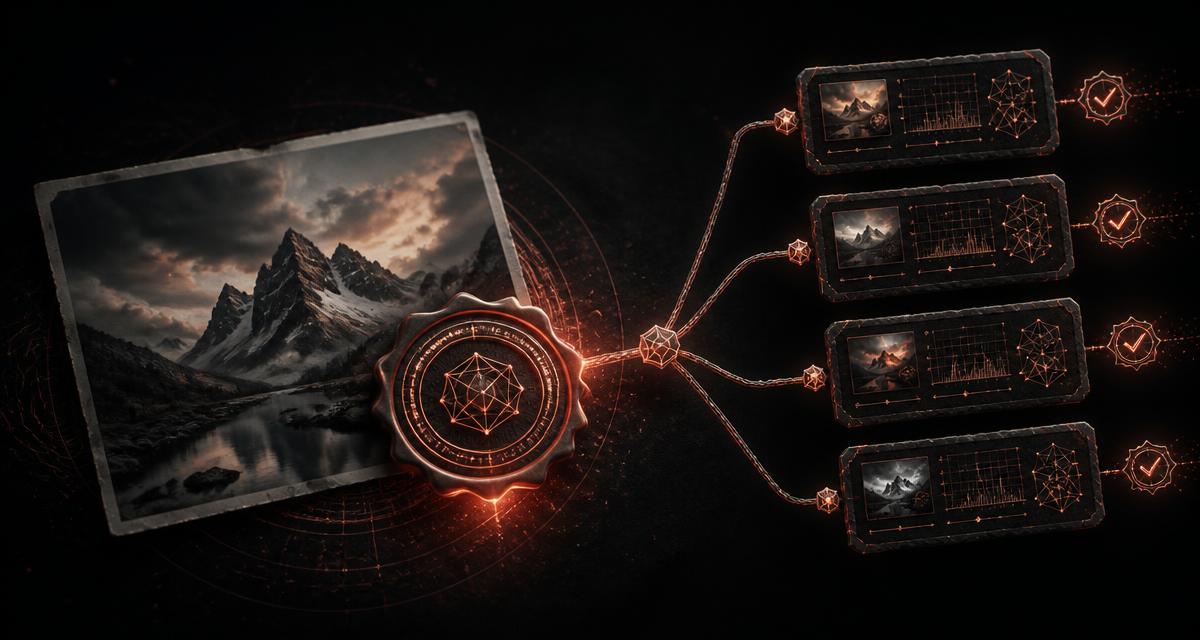
Its unit of work is the manifest: a structured block written into the file that contains assertions about the asset, hashes binding those assertions to the actual pixel data, and a cryptographic signature from the issuing party.
| Manifest element | What it records | Why it matters to you |
|---|---|---|
| Claim generator | The software or model that produced this version | Can name an AI model outright |
| Assertions | Actions taken: created, edited, AI-generated, colour-adjusted | Drives platform AI labelling |
| Ingredients | Earlier assets used, sometimes with thumbnails | Can expose prior versions of your image |
| Hash bindings | Cryptographic hashes over the image data | Makes tampering detectable |
| Signature | Certificate of the signing organisation | Establishes who vouches for the record |
Critically, C2PA is designed to be tamper-evident, not indelible. It proves whether a present record has been altered. It makes no attempt to prevent the record from being absent.
Why genuine photographers get caught
You would expect this system to flag only AI generations. In practice it catches an enormous amount of ordinary photography, because credentials are appended by editing steps as well as by generators.
- Generative fill, expand and object removal write an AI-edit assertion into the chain.
- AI denoise and AI sharpening in mainstream raw processors can do the same.
- AI upscaling before delivery frequently adds a generator entry.
- Some camera and phone pipelines attach credentials at capture, then editors append to that chain.
The result: you photographed a real wedding, removed one distracting exit sign with a generative tool, exported, uploaded — and the platform correctly reads an AI-edit assertion and labels the whole image. Nothing malfunctioned. The signal is simply blunter than the reality it describes.
Read next: why Instagram and Facebook label your photo as AI →
C2PA versus invisible watermarking
These two get conflated constantly, and the confusion leads people to try the wrong remedy.
| C2PA Content Credentials | Invisible watermark (e.g. SynthID) | |
|---|---|---|
| Location | File container, beside the pixels | Inside the pixel values |
| Survives re-encoding from raw pixels | No | Yes, if robust |
| Publicly inspectable | Yes | No |
| Removal | Deterministic | Not reliably possible |
| Purpose | Verifiable provenance chain | Persistent origin marking |
If you only remember one thing: credentials are removable, robust watermarks are not. Handle each accordingly, and see what SynthID is and whether it can be removed for the other half.
The privacy angle nobody mentions
Even setting AI labelling aside, a manifest can be a surprising amount of disclosure attached to a picture you publish.
- Which software and exact version you used at each step of the edit
- Precise timestamps of when the work happened
- Thumbnails of ingredient assets — potentially earlier, unpublished versions of the image
- Device identifiers from the capture stage
- The organisation whose certificate signed the record
For a journalist protecting a source, a designer who does not want their process visible, or anyone publishing under a pseudonym, that is a meaningful leak riding along inside an innocuous JPEG.
How to inspect and remove Content Credentials
You do not need specialist forensic software, and you should not have to upload private images to a stranger's server to find out what they say.
- 1Open the image in our [Remove AI Metadata tool](/remove-ai-metadata). All parsing happens locally in your browser.
- 2Read the findings. The tool reports detected C2PA manifests alongside EXIF, XMP, IPTC, ICC profiles and PNG text chunks, so you can see exactly which layers are present.
- 3Strip the container. The image is decoded to raw pixels and re-encoded as a fresh file, so no manifest, tag or chunk carries over.
- 4Read the before/after report. A local detection-likelihood score for both versions shows which signals were container metadata and which are pixel-level characteristics that no metadata operation can change.
Where the honest line sits
C2PA exists for a good reason. A world where photographs from a war zone can be verified is better than one where they cannot, and creators who *want* provenance attached to their work deserve a robust way to attach it.
Removing credentials from your own files for privacy, file size, or because a platform mislabelled a photograph you genuinely took is legitimate — and it is what every social network already does to your uploads by default. Removing them to pass synthetic media off as authentic documentary evidence is not, and in a growing number of jurisdictions and platform policies it is expressly prohibited.
The tool is neutral. Use it to see what your files say, and to decide deliberately what they should say.
Read next: AI image metadata explained — EXIF, XMP, C2PA and generator tags →
Frequently Asked Questions
What are C2PA Content Credentials?
C2PA Content Credentials are a tamper-evident provenance record embedded in a media file, defined by the Coalition for Content Provenance and Authenticity. The manifest lists assertions about the file's origin — the capture device or generating model, the software used, timestamps and a chain of subsequent edits — and is cryptographically signed so any modification to the record can be detected.
How do Content Credentials make an image get labelled as AI?
Platforms read the manifest on upload. If it contains an assertion that the content was generated or substantially edited by an AI model, the platform can apply an AI label instantly and confidently, without running any image analysis. It is a declaration in the file rather than an inference from the pixels, which is exactly why it is trusted.
Do Content Credentials survive editing and uploading?
Editors that support C2PA append new signed entries to the chain rather than discarding it, so credentials persist through supported workflows. They do not survive being decoded to raw pixels and re-encoded as a fresh file, because the manifest is container data rather than picture data. Many platforms also strip or replace metadata on upload for their own reasons.
Can C2PA Content Credentials be removed?
Yes. Unlike an invisible pixel watermark, the manifest is not part of the image. Re-encoding the picture from its decoded pixel buffer produces a new file that simply has no manifest to carry. Because C2PA is designed to be tamper-evident rather than indelible, a missing manifest means the provenance chain is absent, not secretly broken.
Is it legal to remove Content Credentials from my own images?
Stripping metadata from files you own is a routine operation, and platforms already do it to your uploads automatically for privacy and bandwidth reasons. The caution is about context, not the act: some jurisdictions and platform policies require AI-generated media to be disclosed, so removing a credential to present synthetic content as authentic documentary material can breach those rules.
What else is inside a C2PA manifest besides AI information?
Depending on the issuing software, a manifest can include the capture device model, the software and version used at each step, precise timestamps, thumbnails of earlier versions of the image, an action list describing what was done, and the identity of the signing organisation. That makes it a privacy consideration as much as an AI-labelling one.
How can I see whether my image has Content Credentials?
Inspect the file's container. Our free browser tool enumerates C2PA manifests alongside EXIF, XMP, IPTC, ICC and PNG text chunks, reports what it found, and can strip the whole container by re-encoding from raw pixels — all locally, with no upload.
AI Image Detection & Provenance: complete guide series
AI Image Detection in 2026: How Detectors, Watermarks and Metadata Really Work
How AI image detectors, invisible watermarks like SynthID and C2PA metadata actually flag pictures as AI-generated — plus how to inspect and clean your own images free.
How Do AI Image Detectors Work — and How Accurate Are They Really?
11 min readWhat Is SynthID? How Invisible AI Watermarks Work (And Whether They Can Be Removed)
10 min readAI Image Metadata Explained: EXIF, XMP, C2PA and the Generator Tags That Expose You
12 min readHow to Check If Your Image Looks AI-Generated: Reading a Before-and-After Detection Report
10 min readWhy Instagram and Facebook Label Your Photo as AI-Generated (And How to Stop It)
9 min read